1Password for Agents: your AI agent can log in without seeing your password
Reel 37 · full breakdown · October 23, 2026
THE 60-SECOND VERSION
- When your AI agent hits a login, it asks your 1Password vault instead of you handing it the password.
- You approve in the 1Password app. 1Password fills the login into the site; the agent never sees the password or the one-time code.
- Nothing touches your vault until you connect an agent. No extra cost on paid Individual and Family plans.
- Live first with Muse and Grok Bot (rolling out over the coming days). Claude, ChatGPT and Perplexity are coming soon.
01 · 3 steps
How it works
1. The agent asks
At a sign-in page, the agent verifies itself to 1Password and requests the login for that site.
2. You decide
You see which login is requested and approve or deny it in the 1Password app on your own device.
3. 1Password fills it
1Password fills the username, password and one-time code into the site. The agent only sees that access was granted.
02 · 4 details
Who can use it today
Plans
Included at no additional cost in 1Password Individual and Family accounts (both paid plans; there's a 14-day free trial).
Agents
Muse (from Meta) and Grok Bot are rolling out now. Coming soon: Anthropic's Claude (Claude Duet), OpenAI's ChatGPT Work and dots, Perplexity, and others. There is a waitlist.
Approval
1Password's developer docs list approval in the desktop apps (Mac, Windows, Linux); phone approval is in development. You approve once per login, not on every fill.
Not yet
Business accounts, shared vaults, passkey-only logins, and 1Password.eu / 1Password.ca accounts.
03 · 1 point
The catch
Logged in is logged in
The agent never holds your password, but once it's signed in it works inside that account. In 1Password's words: "An agent may be able to see information or take actions within the signed-in account."
What to do: Only connect accounts you'd trust the agent with, and remove a login from the agent when you no longer need it.
Good to know
- Availability and the list of agents are as of Oct 23, 2026 and will change as more integrations ship.
- How often you're asked to approve may vary by integration.
Sources
The guide · 1 parts
- 01
What it looks like
Step 2 from 1Password's own demo, and what the agent ends up with.
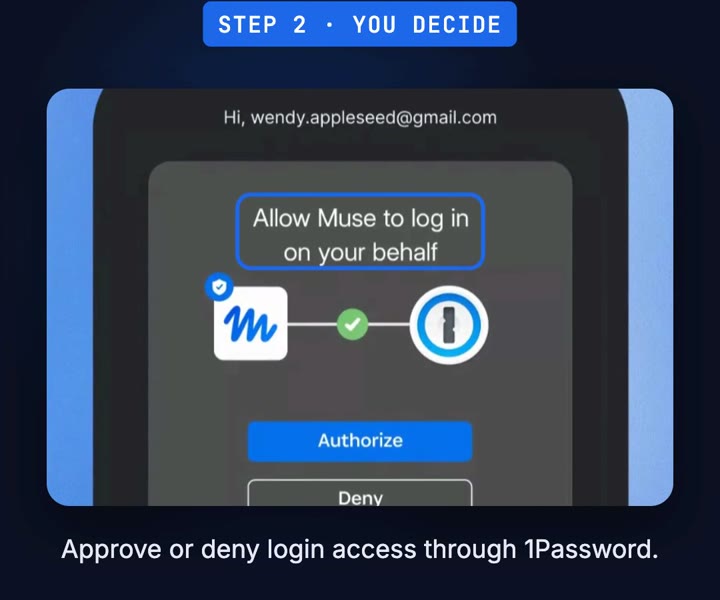
You decide (1Password's demo) 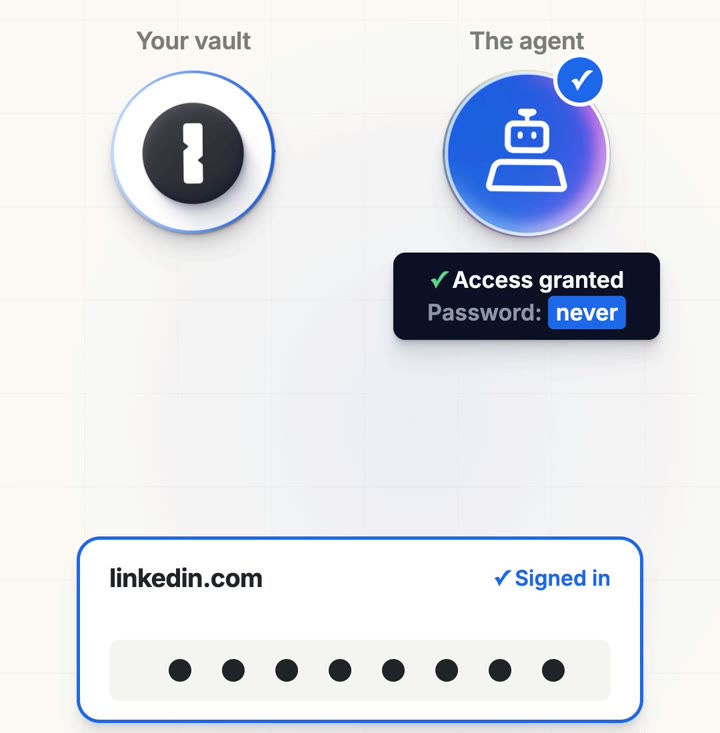
The agent gets access, not the password
Good to know
- An overview by @copilot_shogo. Not affiliated with 1Password.
Free for people building with Claude Code
Two of us run a six‑figure business on this Claude Code setup.
Most setups forget who you are every session. This one knows your goal, pushes back when you drift, and checks its own work. Take the starter version. It takes 15 minutes to set up.
✻
CLAUDE.md
- START-HERE.md
- CLAUDE.md
- prompts/interview.md
- agents/verifier.md
- diagnostic.md
Confirm your email and the download starts. One email a week after that, unsubscribe any time.
MORE LIKE THIS